HostBar
localhost resolves to ::1 or is slow on Mac
On a Mac, localhost is two addresses: ::1 for IPv6 and 127.0.0.1 for IPv4, and the system resolver lists ::1 first. A dev server that listens on only one of them works at one URL and refuses at the other. Nothing is broken; the client and the server just picked different halves of the same name.
What localhost resolves to
The stock /etc/hosts has a line for each, under a comment asking you not to change them:
127.0.0.1       localhost
255.255.255.255 broadcasthost
::1             localhost
Ask the system resolver, the one browsers, curl, and most runtimes use:
dscacheutil -q host -a name localhostOn current macOS (14, 15, and 26) it prints the ipv6_address: ::1 entry before ip_address: 127.0.0.1. A client that tries only the first address it gets back tries ::1.
Find out what is listening
Replace 3000 with your port:
lsof -nP -iTCP:3000 -sTCP:LISTENThe NAME column says which address the server bound:
- 127.0.0.1:3000 is IPv4 loopback only. http://[::1]:3000 is refused.
- [::1]:3000 is IPv6 loopback only. http://127.0.0.1:3000 is refused.
- *:3000 is every address, both families. Both work, and so does your LAN address.
Then try each address directly. -4 and -6 force the family:
curl -sv -4 http://localhost:3000/ 2>&1 | grep -E "Trying|Connected|refused"
curl -sv -6 http://localhost:3000/ 2>&1 | grep -E "Trying|Connected|refused"
Without either flag, curl tries ::1, gets "Connection refused", and moves on to 127.0.0.1 in the same millisecond. Browsers fall back the same way. That is why the page loads in the browser while a test runner, a proxy, or a script on the same machine says ECONNREFUSED ::1:3000.
What Node.js changed
Node 17 changed the default order of dns.lookup results from IPv4 first to verbatim: whatever order the operating system returns. On a Mac that means ::1 first, with two effects:
- Servers. server.listen(3000, 'localhost') binds [::1]:3000 only, so anything that connects to 127.0.0.1:3000 is refused. Dev servers that default their host to localhost inherit this. With no host at all, Node listens on every address.
- Clients. Node 17 through 19 connect to the first address only, so a client asking for localhost fails against a server bound to 127.0.0.1. Node 20 (and 18.18) turned on autoSelectFamily by default, which tries each address in turn, and the client problem mostly went away.
To check what your Node does:
node -p "require('dns').getDefaultResultOrder()"
node -p "require('net').getDefaultAutoSelectFamily()"
Current versions print verbatim and true. To get the old IPv4-first order for one process, run it with node --dns-result-order=ipv4first, or set it in NODE_OPTIONS.
The fixes, in order of preference
- Bind the server to what the clients use. 127.0.0.1 if every client uses that, or no host (all addresses) if you are happy for the server to be reachable from your network.
- Point the client at an address instead of a name: http://127.0.0.1:3000 in the proxy target, the test config, or the .env file.
- Use --dns-result-order=ipv4first for an older toolchain you cannot change.
Leave the ::1 localhost line in /etc/hosts alone. Removing it hides the mismatch on this Mac and leaves the same bug waiting on every colleague's machine.
When localhost is slow rather than refused
A refused connection to ::1 costs almost nothing, so a real delay usually has another cause:
- Two servers on one port. lsof can list one process on [::1]:3000 and another on 127.0.0.1:3000. Then localhost reaches the IPv6 one, which may be a stale or hung copy, while 127.0.0.1 reaches the one you just started.
- A .local name instead of localhost. .local belongs to Bonjour. If /etc/hosts has 127.0.0.1 myapp.local but no ::1 line, the IPv6 half of the lookup goes out as multicast and waits for an answer that never comes; a miss can take several seconds. Use .test, or add the ::1 line too.
- A client that waits instead of falling back. A tool that only tries the first address and retries on a timer turns a refusal into a pause. Point it at 127.0.0.1.
To time the lookup on its own, apart from the connection:
time dscacheutil -q host -a name myapp.localBoth lines, one switch
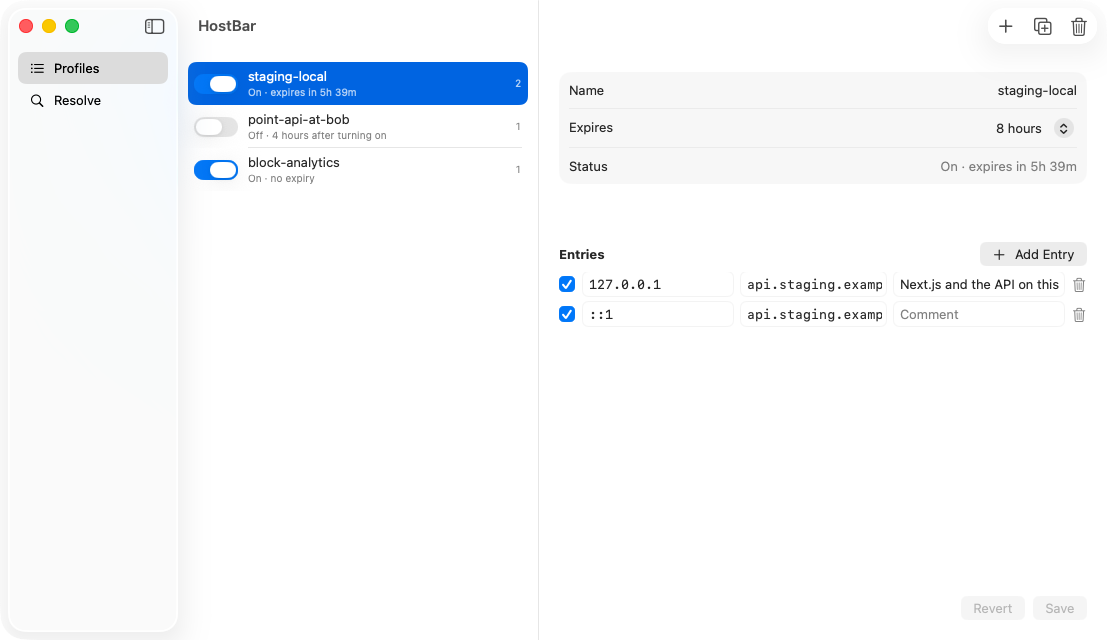
If your dev hostnames live in /etc/hosts, a HostBar profile holds the 127.0.0.1 and ::1 lines for each name together, so the IPv6 half never goes missing, and switches them off again after the hours you set. Its resolve panel shows the hosts-file line for a name and what macOS answers for it, without reaching for dscacheutil.